Function
Enter or modify general link elements in a spreadsheet format table.
Table Tool in midas is powerful and contains
a large variety of built-in functions. Refer to the following items for
detail directions:
Basic directions (Cell motion, selection, size control, etc.)
Data manipulation (Add, delete, modify data, etc.)
Copy/Paste data using clipboard
Supplementary functions by Table types
Call
From the Main Menu select Model > Boundaries > General Link Table.
Select Structure Tables > Boundaries > General Link Table in the Tables tab of the Tree Menu.
Entry (Refer to "General Link")
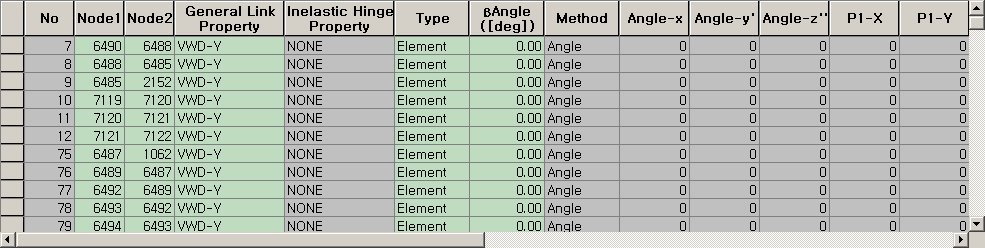
Refer to Usage of Table Tool and enter or modify the following data:
No: General Link element number
Node1: Node number at the start of General Link element
Node2: Node number at the end of General Link element
General Link Property: Property of General Link element
Inelastic Hinge Property: In case Element Type is general link element, nonlinear behavior can be reflected by assigning inelastic hinge properties. This is not used for the Force Element Type general link element.
Type: Hinge type of defined inelastic element (Element, Force)
?Angle: Beta Angle of General Link element
Method: Connection method of General Link element (Beta Angle, Ref. Point, Ref. Vector)
Group: Boundary group name containing the entered boundary conditions