.jpg) after
selecting the output entities such as nodes or elements, loading conditions,
construction stages, etc.
after
selecting the output entities such as nodes or elements, loading conditions,
construction stages, etc.Function
Arrange the results of a free vibration analysis of the model (Natural periods of vibration, participating masses by vibration modes, etc.). Check Eigen vectors in a spreadsheet format table.
Modal Direction Factor, Modal Participation Factor and Participation Vector have been added to the output so as to check various eigenvalue analysis results in a table.
Check the mode shape normalized to unity (maximum eigenvector = 1).
Table Tool in MIDAS/Gen offers a variety of powerful built-in functions. Refer to the following items for detail directions:
Basic directions (Cell motion, selection, size control, etc.)
Data manipulation (Add, delete, modify data, etc.)
Copy/Paste data using clipboard
Supplementary functions by Table types
Call
From the Main Menu select Results > Result Tables > Vibration Mode Shape.
Select Result Tables > Vibration Mode Shape in the Tables tab of the Tree Menu.
Usage (Refer to "Vibration Mode Shape")
Upon executing the Vibration Mode Shape Table
function, Records Activation Dialog prompts. Click after
selecting the output entities such as nodes or elements, loading conditions,
construction stages, etc.
Note
Refer to Results Table
of "Usage of Table Tool"
for the usage of Records Activation Dialog.
Refer to Usage
of Table Tool and check the following data :

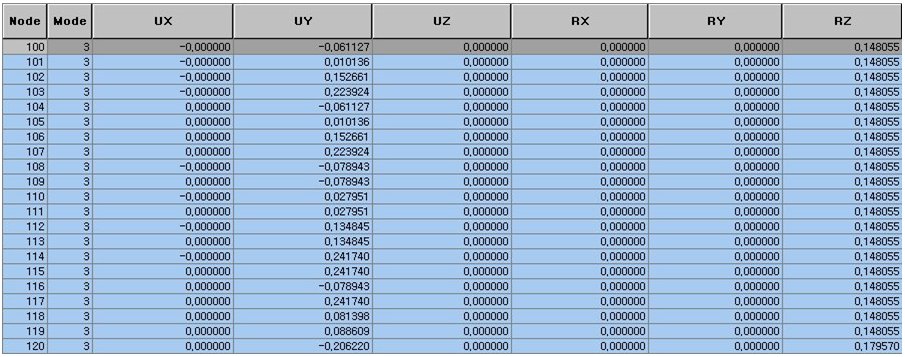
Eigenvalue analysis results table (Participation Vector)
Check the natural periods of vibration and the participating masses by vibration modes from the summary table of the Eigenvalue analysis results shown in the figure.
Modal Participation Masses: Mass participation by modes
Modal Participation Factor
Modal Direction Factor: Modal effective mass ratio (Participation ratios by degrees of freedom on the basis of participation ratio of each mode being set at 100%)
Reselect 'Active by Eigenmode...' in Context Menu and assign the desired mode to check the natural vibration mode vectors.
Eigenvector: for each degree of freedom
Note
Display eigenvectors in the unit consistent with the input mass unit.
Participation Vector: Eigenvector for each degree of freedom ?Modal Participation Factor
Select ' Normalize by Max. Displ.' in Context Menu and assign the desired mode to check the mode shape normalized to unity.
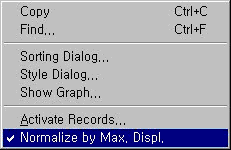
Normalize by Max. Displ.: Display the Mode Shape normalized to unity (maximum eigenvector = 1).
Note
1
In the old version, the Mode Shape was normalized to mass using the program's
internal units, N & m. In V720, the Mode Shape is normalized to mass
using units consistent with the input data.
(  ,
,  : Mode Shape Vector,
  :
Mass in the Input Unit)
:
Mass in the Input Unit)
Note
2
Applicable to both Lumped Mass and Consistent Mass