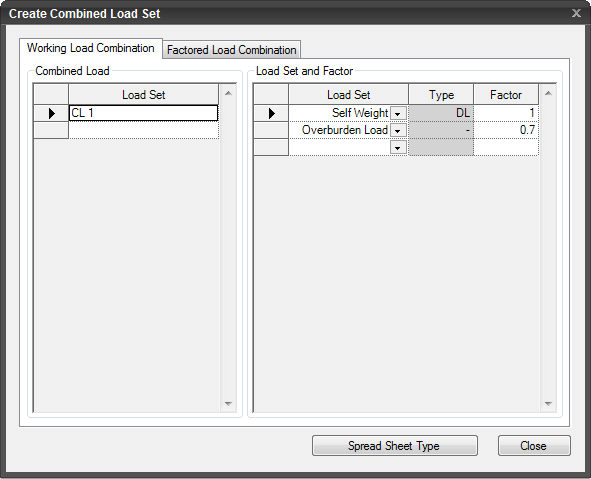
Working Load Combination
Combined
Load
Enter the name of the
Combined Load followed by Load Sets and the corresponding factors.
Load
Set and Factor
Load
Set
Select previously defined Static Load Sets.
Type
Define the property of the Load Set (Optional).
Factor
Enter the factors corresponding
to the Load Sets to be combined.
Factored
Load Combination
Create Combined Load
Sets as per Design Code.
Load
Type Manager
Assign the load type
to the entered Load Set(s). This is mandatory if the Load Combinations
need to be generated by a Design Code.
Load
Set
Select a Load Set followed
by the type.
Type
After selecting load
Type, specify types using Type by Drag & Drop.
Design
Code
Select a Design Code.
 Click the ESC key to close the dialog box. Click the ESC key to close the dialog box.
Note:
The Create Combined Load Set dialog can
be switched between the Default type and the Spread Sheet type. The default
for Type is "-" (user) and can be changed (Type is unrelated
to the combination results). Type cannot be changed in the spread sheet
type, but the Type entered in the default type is simply displayed.
| 


