Scale
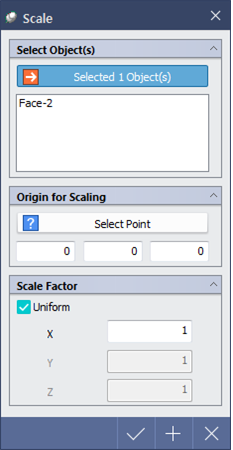
Scale enlarges/reduces selected face body(2D) or solid body(3D) in reference to a point.
▒ Call
|
|

▒ Detail Description
|
< Mini Toolbar >
< Scale Dialog > |
Select Object(s) |
|
Selectable Objects -Face body(2D), solid body(3D) |
|
|
Origin for Scaling |
|
|
|
|
|
Scale Factor |
|
|
|

 : Select object to be scaled
  Select a reference point from view or enter the coordinates manually.
|
|
