Merge Elements
Merge more than 1 consecutive line elements into one line element.
From the Main Menu select Node/Element > Elements > Merge.
Click  to the right
of Merge Elements: Display
the Element Table.
to the right
of Merge Elements: Display
the Element Table.
|
 Start Node
Number
Start Node
Number
Forced Merge
Two unaligned linear elements sharing a common node can be forcibly merged into a single element.
Tolerance: Angular tolerance for element selection criterion (180° default for no restriction)
Element: Element numbers for two linear elements to be merged.
Note
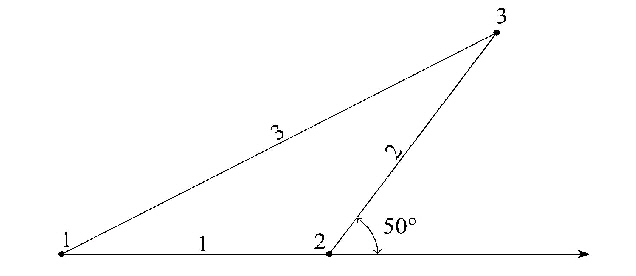
Diagram below illustrates the operation of forcibly merging elements
1&2 into element 3. Enter the Tolerance greater than 50° (180°
default) and '1, 2' in Elements entry field.
Remove Free Nodes
Remove all the free nodes without attributes and unconnected to elements after merging elements.
Note
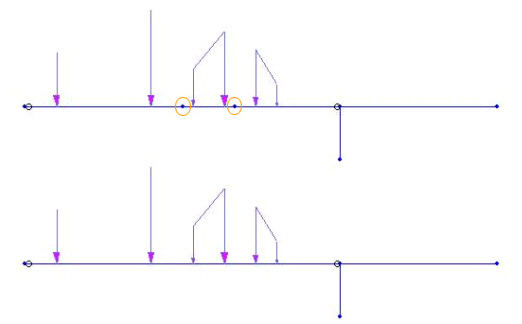
The Merge Elements function merges two continuous line elements
lying on a straight line unless other elements intersect with
the connection point of the two line elements. Elements with different
attributes (material property, section number, etc.) do not merge.
Loads and boundary conditions remain unchanged even
after merging.