Property - Compression Only/Gap

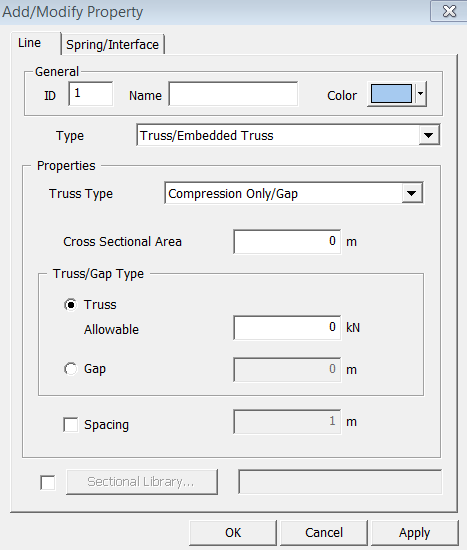
General
ID
Property
ID number
Name
Property
Name.
Color
Select
the color of Property.
Properties
Cross Sectional Area (A)
The cross-sectional area of a member is used to compute axial stiffness and stress when the member is subjected to a compression or tension force.
Truss
Allowable Tension
Gap
Gap
Enter
the distance of a gap. If element deforms more than the distance under
compression, its stiffness begins to take effect.
Using
 ,
user can define section easily and specify required sectional data. GTS
Section Library provides 10 types of section (Angle, Channel, H-section,
T-section, Box, Pipe Double Angle, Double Channel, Solid Rectangle, Solid
Round). In addition, user can specify offset options.
,
user can define section easily and specify required sectional data. GTS
Section Library provides 10 types of section (Angle, Channel, H-section,
T-section, Box, Pipe Double Angle, Double Channel, Solid Rectangle, Solid
Round). In addition, user can specify offset options.
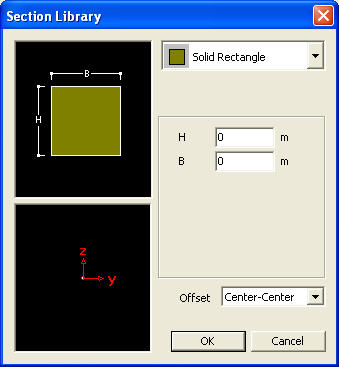
<Section Library dialog box>
Note: Nonlinear behavior should not be assigned to various types of Elastic Link elements, such as Tension/Compression Only, Gap, Hook, etc.