Remesh: Elements

Function
Remesh 2D elements based on previously generated 2D mesh. It keeps the geometric shape of original 2D mesh and regenerates elements for better element quality.
Call
Main Menu : Mesh > Remesh > Elements...
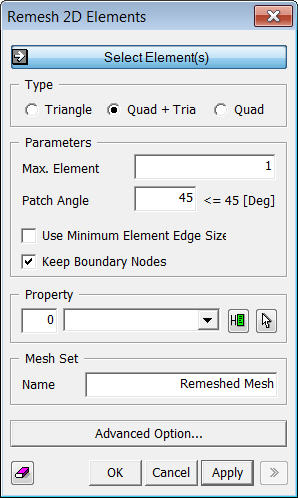
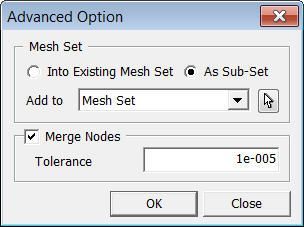
<Remesh Elements>
Select Element(s)
Select 2D elements, which will be remeshed.
Max. Element Size
Specified the maximum element size of newly created elements.
Patch Angle
Specify the maximum Angle between selected mesh elements and new mesh elements to be generated (Must be less than 45 degrees).
Merge Tolerance
It merges nodes at free edges in the process of remesh. Merging takes place when the nodes are within the specified Tolerance, which must be less than 1/10 of the smallest mesh size.
Keep Boundary Nodes
Option to keep boundary nodes or not.
Notes
If the object have been seeded previously, the size information will still be applied during remeshing. In order to apply new size information, delete the previous size control.