General Shape
| ||
|
| ||
|
| ||
|
Draw any arbitrary shape by entering the coordinates into the table or by mouse-click on the model view. | ||
|
| ||
|
| ||
|
| ||
|
From the Main Menu select Model > Shape > General Shape. Right Click Click | ||
|
| ||
|
| ||
Note1 In order to create a hole in a shape, create the solid shape and then create hollow shape on the solid shape. Holes can be created in general shapes and user defined basic shapes. Note2
| ||
|
|
 and Select
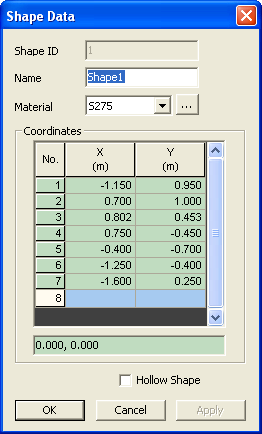
 Shape ID
 to modify the material
properties if necessary.
to modify the material
properties if necessary.