Adjacent Structure | ||||||
|
| ||||||
|
| ||||||
|
Define the objects of adjacent structures to be checked. Applicable Modules:
| ||||||
|
| ||||||
|
| ||||||
|
| ||||||
|
From the Main Menu,
select Design
| Report Control >
Adjacent Structure From the Command Line, type 'AdjacentStructureMember' | ||||||
|
| ||||||
|
| ||||||
|
| ||||||
|
|
Adjacent Structure | ||||||
|
| ||||||
|
| ||||||
|
Define the objects of adjacent structures to be checked. Applicable Modules:
| ||||||
|
| ||||||
|
| ||||||
|
| ||||||
|
From the Main Menu,
select Design
| Report Control >
Adjacent Structure From the Command Line, type 'AdjacentStructureMember' | ||||||
|
| ||||||
|
| ||||||
|
| ||||||
|
|


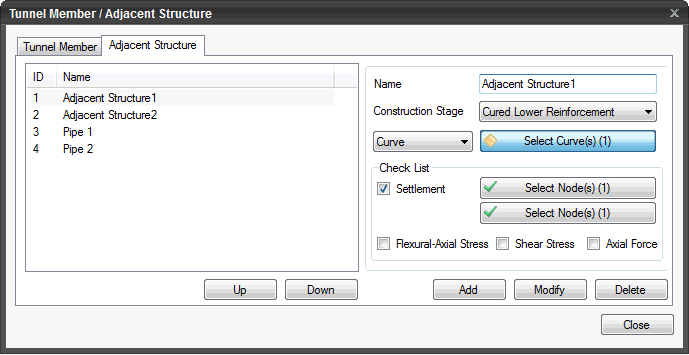
 Click to add a new Adjacent Structure.
 Click to modify the Adjacent Structure.
 Click to delete the defined Adjacent Structure.
 Click the ESC key to close the dialog box.