Create Node
To directly create nodes for an Analysis model.
Nodes can also be additionally created in the mesh that has been already generated.
Applicable Modules:
Ground
|
Slope |
Soft Ground |
Foundation |
Seepage |
Dynamic |


From
the Main
Menu, select Model
> Node > Create Node 
From the Command Line, type 'CreateNode' or 'CN'
Mesh Set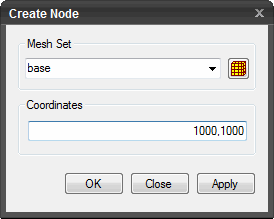
Enter
the name of the mesh set. Click  to create
a Mesh Set.
to create
a Mesh Set.
Coordinates
Specify the location of a node to be created can be directly entered or selected in the model.
Click  to create the node. The window will close automatically.
Click  to close the window or press the ESC key to close the dialog
box.
to close the window or press the ESC key to close the dialog
box.
Click  to create node.
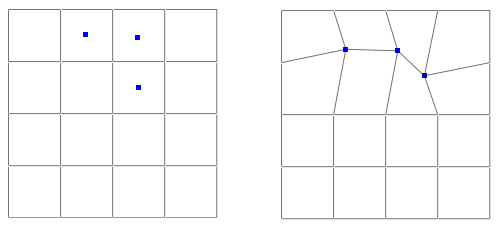
Note: When new nodes are created in the mesh model, complete the connectivity with the adjacent elements. The unconnected nodes in the left diagram will have no effect on the analysis. Merge the new nodes with the existing nodes in the mesh.