Pile Generation by Line
It
is a tool that creates a
piles around
the selected line. After
entering Story Mode, Piles are arranged according to the number and
interval of piles automatically. Story
data
must be generated before
using this feature.
▒ Call
 New New
[Member] > [Basement] > [Pile Array] > [Generate] > [Line] Delete
/ Modify
Work Tree [Analysis] Tab > [Spring] > [Spring Set] > [Point Spring] > [List] > Right-click > [Delete] / [Modify] |
▒ Detail Description
3D Modeling Mode |
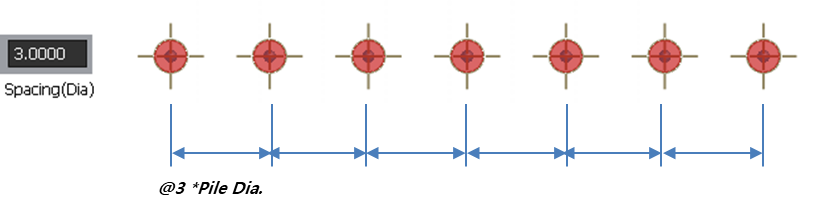
[By Spacing] Type : Based on the entered coordinates or the two selected points, Piles are automatically arranged with a distance between piles.
[Pile Array GUI for 'By Spacing' type]
[Example] Pile arrangement by spacing
 Spacing (Dia.) : Specify
the distance between piles. (Distance
between piles = Pile Diameter x Entered value)
Coordinate
: Enter coordinates
of a starting and ending point. When clicking a point
of model, coordinates are input automatically. Spacing (Dia.) : Specify
the distance between piles. (Distance
between piles = Pile Diameter x Entered value)
Coordinate
: Enter coordinates
of a starting and ending point. When clicking a point
of model, coordinates are input automatically.
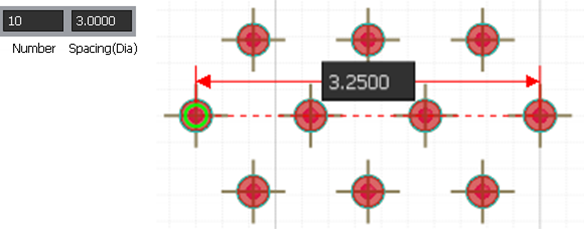
[By Number] Type : Based on the entered coordinates or the two selected points, Piles are automatically arranged with a inputted number.
[Pile Array GUI for 'By Number' type]
[Example] Pile arrangement by spacing
- By Selection : Selection a point. - By Draw : Click on a center point or enter a center coordinate
|


|
