Snow Load
Apply snow load on the closed section formed by line member.
▒ Detail Description
|
[Load] Tab > [Gravity] > [Snow Load] Work Tree [Analysis] Tab > [Static Load] > Right-Click > [Add Snow Load]
Work Tree [Analysis] Tab > [Static Load] > [Snow Load] > Right-Click > [Modify], [Delete] |

▒ Detail Description
|
|
|
|
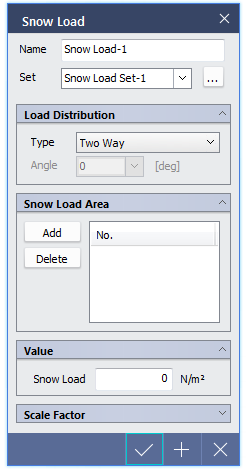
Load Distribution |
|
|
Load angle is applicable only for "One Way" Distribution. It is an angle formed by the line connecting the 1st point to the 2nd point defining the loaded area and the load distribution direction. |
|
|
Snow Load Area |
|
|
Define the area of snow load.
Create a closed section by selecting edges of member then click Add. Click Delete to remove the area on the list. |
|
|
Value |
|
|
Enter the value of snow load to be applied. |
 button.
|
|
