Shrink Elements
Display the modeled
elements shrunk by a fixed ratio at nodes. Use  Display Option to adjust the
shrink ratio.
Display Option to adjust the
shrink ratio.
The function is very useful when verifying the connection conditions of nodes and elements.
From the Main Menu select View > Render View > Shrink Elements.
Click  Shrink
in the Icon
Menu.
Shrink
in the Icon
Menu.
Shortcut key: [Ctrl]+K
The model below is a display created by Shrink, Perspective
and Hidden. Use Display
Option to adjust the Factor, Scale and other pertinent controls.
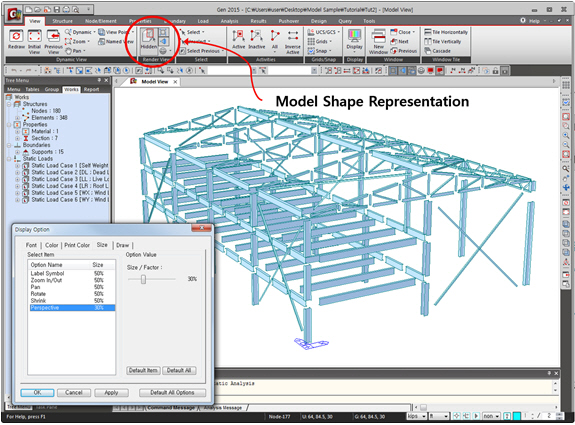
<Fig. 1> 3D Plant Structure created using Shrink, Perspective & Hidden