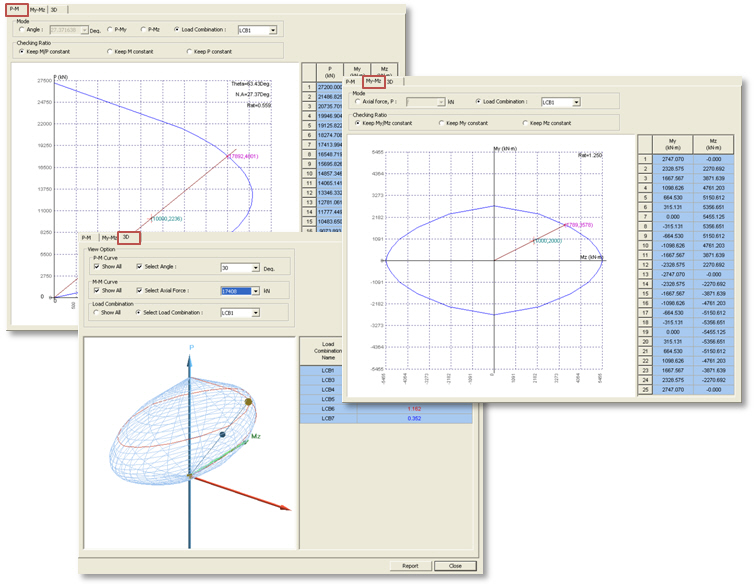
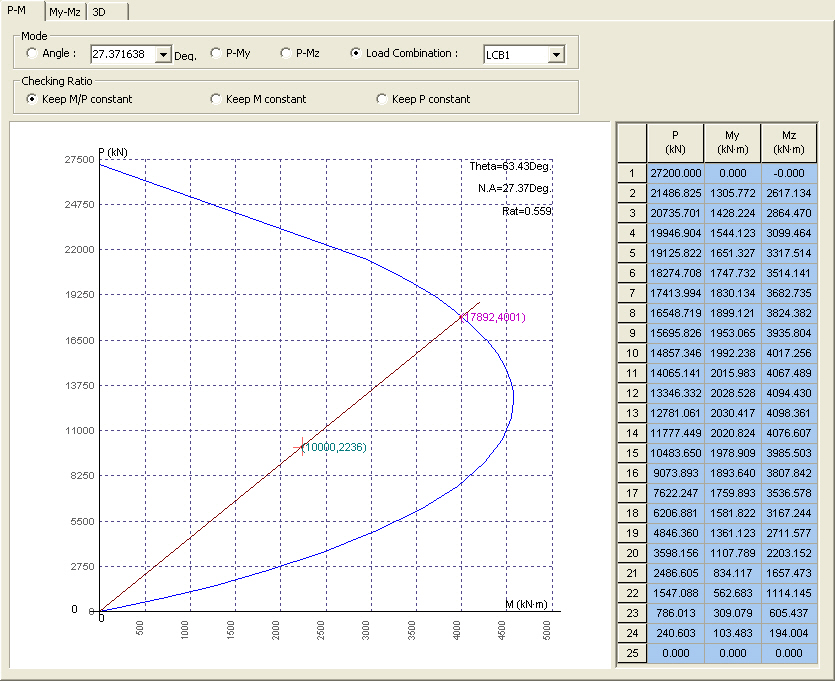
Angle: Display the P-M curve for the entered angle measured from the local y-axis.
P-My: Display the P-My curve. (Angle = 0 deg.)
P-Mz: Display the P-Mz curve. (Angle = 90 deg.)
Load Combination: Display the P-M curve for the angle corresponding to the selected load combination.
Checking Ratio
This option is activated when "Load Combination" is selected in the Mode option.
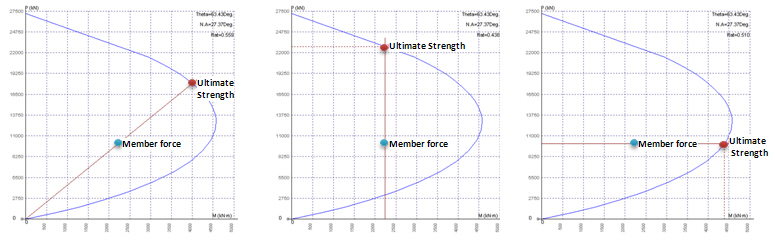
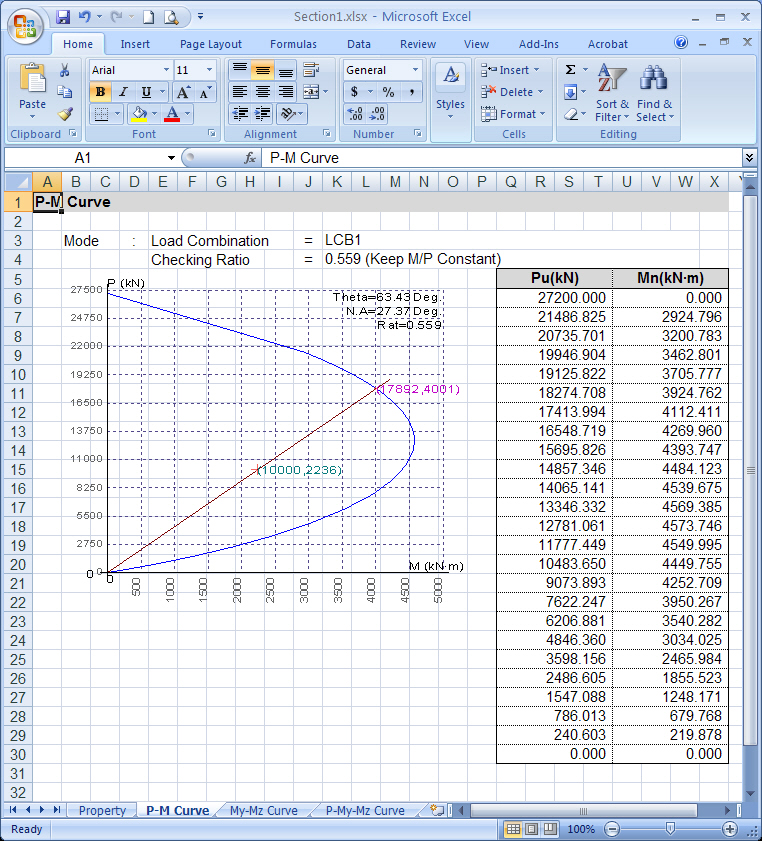
Keep M/P Constant: Display the ratio (Rat. = Member Force / Ultimate Strength) when the ultimate strength is determined based on the same eccentricity ratio as the specified load combination (P, My and Mz).
Keep M Constant: Display the ratio (Rat. = Member Force / Ultimate Strength) when the ultimate strength is determined based on the same biaxial moment as the specified load combination (My and Mz).
Keep P Constant: Display the ratio (Rat. = Member Force / Ultimate Strength) when the ultimate strength is determined based on the same axial force as the specified load combination (P).
Keep M/P Constant Keep M Constant Keep P Constant
Theta: Angle between the Moment axis (horizontal axis) and the line which connects the origin point to the member force point in PM interaction curve
N.A.: Neutral axis angle from the local y-axis
Rat.: Strength ratio (Member force / Ultimate Strength)
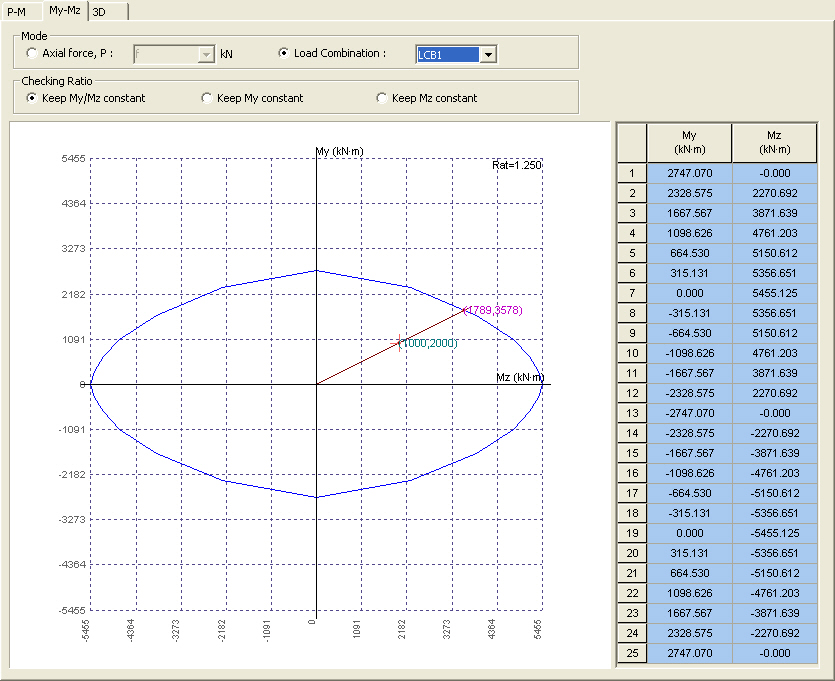
Axial force, P: Display the My-Mz curve for the entered axial force.
Load Combination: Display the My-Mz curve for the axial force corresponding to the selected load combination.
Checking Ratio
This option is activated when "Load Combination" is selected in the Mode option.
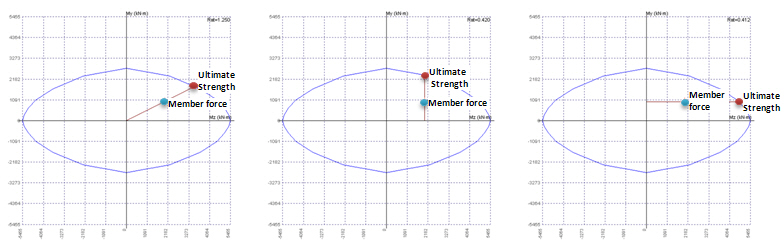
Keep My/Mz constant: Display the ratio (Rat. = Member Force / Ultimate Strength) when the ultimate strength is determined based on the same eccentricity ratio as the specified load combination (My and Mz).
Keep My constant: Display the ratio (Rat. = Member Force / Ultimate Strength) when the ultimate strength is determined based on the same flexural moment as the specified load combination (My).
Keep Mz constant: Display the ratio (Rat. = Member Force / Ultimate Strength) when the ultimate strength is determined based on the same flexural moment as the specified load combination (Mz).
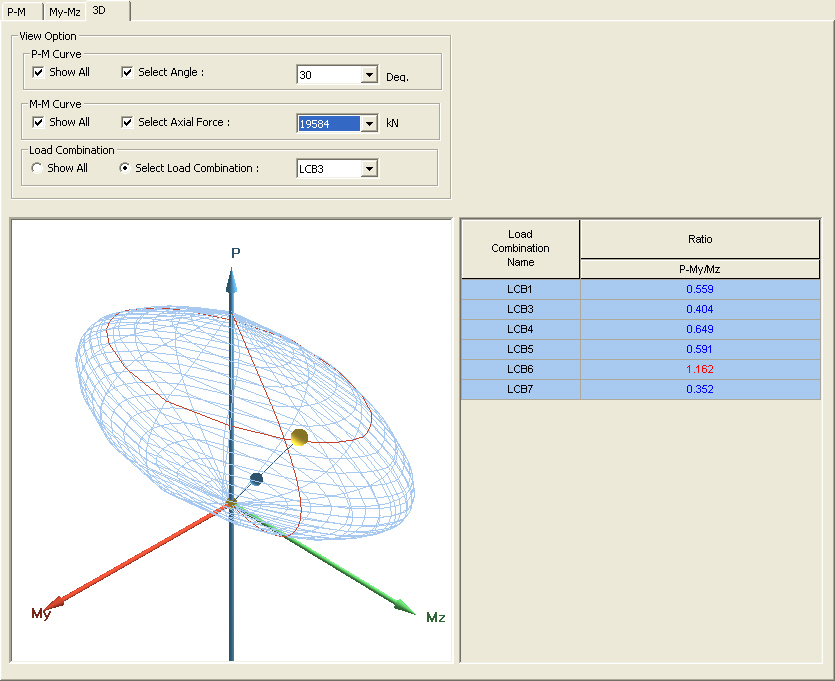
Show All: Display the P-M curves for every 15 deg. in the 3D interaction diagram.
Select Angle: Display the P-M curve for the selected angle from the local Y-axis in the 3D interaction diagram.
M-M Curve
Show All: Display the My-Mz curves in the 3D interaction diagram. Ultimate axial force is divided into 24 points to produce the My-Mz curve.
Select Axial Force:Display the My-Mz curve for the selected axial force in the 3D interaction diagram.
Load Combination
Show All: Display the member force point and the ultimate strength point in the 3D interaction curve for all the load combinations.
Select Load Combination: Display the member force point and the ultimate strength point in the 3D interaction curve for all the selected load combination.
Table
Strength ratio for each load combination can be checked in the table. The ultimate strength is determined based on the same eccentricity ratio as the specified load combination (P, My and Mz).
Report
Click to generate the report in Microsoft Excel format. The generated excel file is saved in the same folder as the one that the *.mgs model file has been saved.