Datum: Datum Axis

Function
Create a Datum Axis.
Call
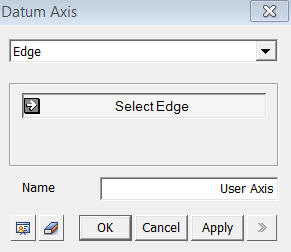
<Datum Axis - Edge>
Input parameters vary depending on how a
Datum Axis is to be defined.
<Edge>
Select Axis Parameter1
Select an Edge along which a datum axis will be created in the direction of the Edge.
Name
Enter
the name of the Datum Axis to be created. Enter the name of the Datum
Axis to be created.
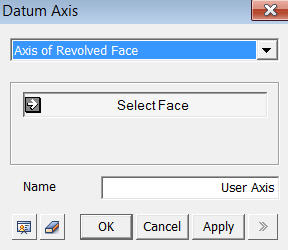
<Axis of Revolved Face>
<Axis of Revolved Face>
Select Face
Select
a face, which has been created by revolving an edge, etc. The Axis of
the Revolved Face is assigned as a Datum Axis.
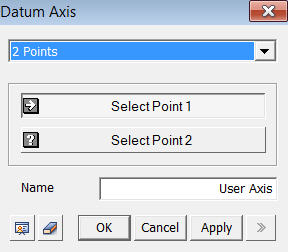
<2 Point>
<2 Point>
Select Vertex 1 & Select Vertex 2
Select two Vertices through which a datum axis will be assigned.
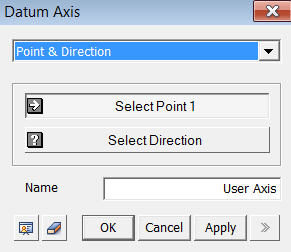
<Pointx & Directions>
<Point & Direction>
Select Vertex
Select one Vertex
Select Direction
Define a direction (Datum Axis, Datum Plane, Face or Edge) to assign a Datum Axis.
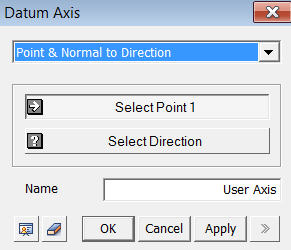
<Point& Normal to Direction>
<Point & Normal to Direction>
Select Vertex
Select one Vertex
Select Direction
Define a direction, which is normal to Datum Axis, Datum Plane, Face or Edge, to assign a Datum Axis.
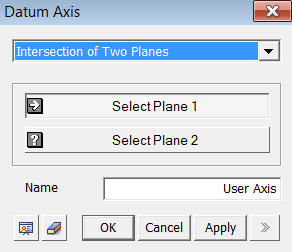
<Intersections of Two Planes>
<Intersection of Two Planes>
Select Plane 1 & Select Plane 2
Select
the intersection line of two planes (Datum
Plane, Face or Edge) to assign a Datum Axis.
Notes
Most
of the commands used in defining directions support Datum Axis, Edge and
Face.