Auto Mesh: Solid

Function
Auto
Mesh - Solid automatically generates meshes for selected solids (Shape, Solid).
Call
Mesh > Auto Mesh > Solid
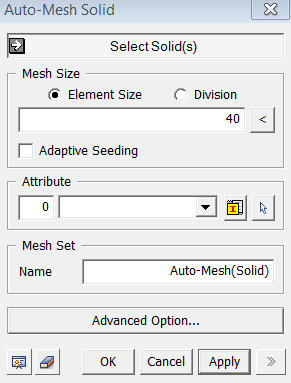
<Auto-Mesh Solid>
Select Solid(s)
Select
Solids (Shape, Solid), which will
be automatically meshed.
Mesh Size
Element Size
Specify
the element size.
Division
Specify the number of divisions at the boundaries of the shapes for a meshing operation.
Division
Once
the seeding of edges is displayed, edges can be selected and the mesh
division can be manually changed by the use of the mouse wheel.
Adaptive Seeding
If the
division for nodes for selected edges is improper for the geometry to
be well represented by elements, Adaptive Seeding is applied while ignoring
the seeding value, provided that the Adaptive Seeding criteria are satisfied.
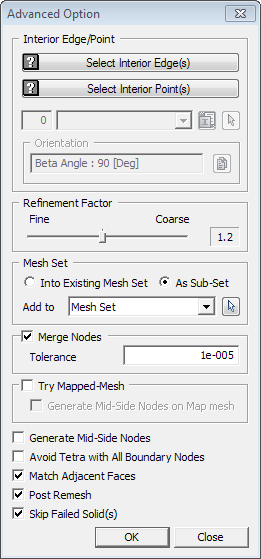
<Advanced Option>
Select Interior Edge(s)
Select
Interior Edges contained within solids for which solid meshes will be
created.
Select Interior Point(s)
Select
Interior Points contained within solids for which solid meshes will be
created.
Avoid Tetra with All Boundary Nodes

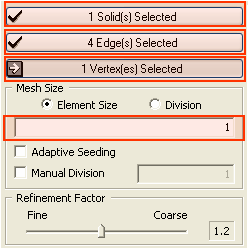
.png) button to assign
button to assign