Property: Attribute

Function
Define Attributes which contain material properties, section properties, and element information.
Call
Model
> Property > Attribute 
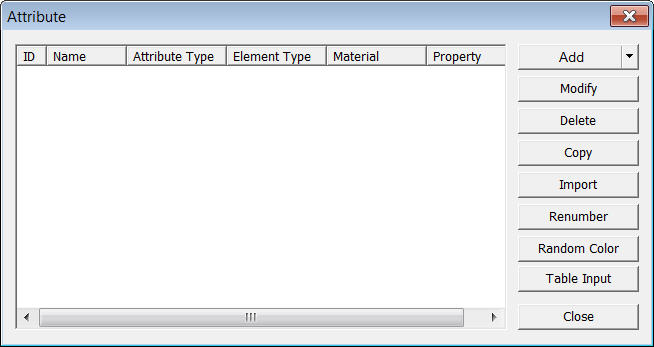
<Attribute>
Click  in the Attribute dialog box and select an Attribute type
to be defined.
in the Attribute dialog box and select an Attribute type
to be defined.
6. Transmitting Boundary (May be verified only when the Model Type of Project Setting is selected as "Equivalent Linear (Dynamic)"
|
|
Modify previously entered Attribute data |
|
|
Remove previously entered Attribute data |
|
|
Copy previously entered Attribute data |
|
|
Import previously entered Attribute data from another GTS file |
|
|
Modify previously entered material property numbers, select Attribute numbers to be renumbered from the list in the Material dialog box and modify the related data followed by clicking [Renumber] |
.jpg)
.jpg)
.jpg)
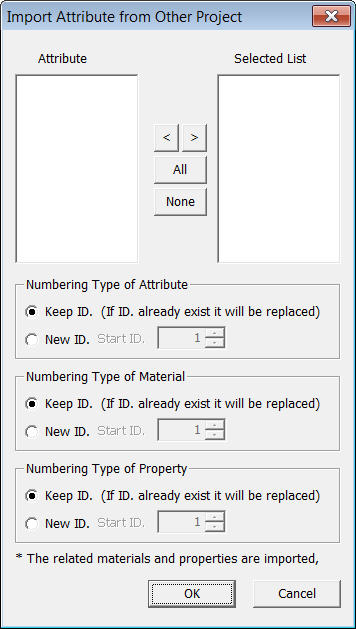
<Import Attribute>
Attribute List
Display Attribute data contained in the
existing fn.GTB file.
Selected List
Select Attribute data to be imported and
register the data in the Selected List.
Numbering Type of Attribute
Specify the Import mode for Attribute numbers.
Keep ID
Import the data keeping the same Attribute
numbers.
New ID
Assign new numbers to the imported Attribute
data.
Numbering Type of Material
Specify the Import mode for Material numbers.
Keep ID
Import the data keeping the same Material
numbers.
New ID
Assign new numbers to the imported Material
data.
Numbering Type of Property
Specify the Import mode for Property numbers.
Keep ID
Import the data keeping the same Property
numbers.
New ID
Assign new numbers to the imported Property
data.
To renumber the attribute data ID, modify
the related data of the attribute, and then click the  button.
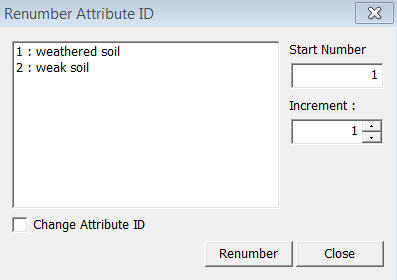
<Renumber Attribute>
Start number
Assign a new starting number for the Attribute
to be modified.
Increment number
Enter the increment for numbering the Attribute
numbers
Change element's attribute number
Modify an Attribute number. Using this option will modify the previously defined Attribute number. If this option is not checked, the selected material having previously defined number will become undefined, and the additional user-defined Attribute number will be created without any assigned elements.
To conveniently input the attribute data
to a table, click the  button.
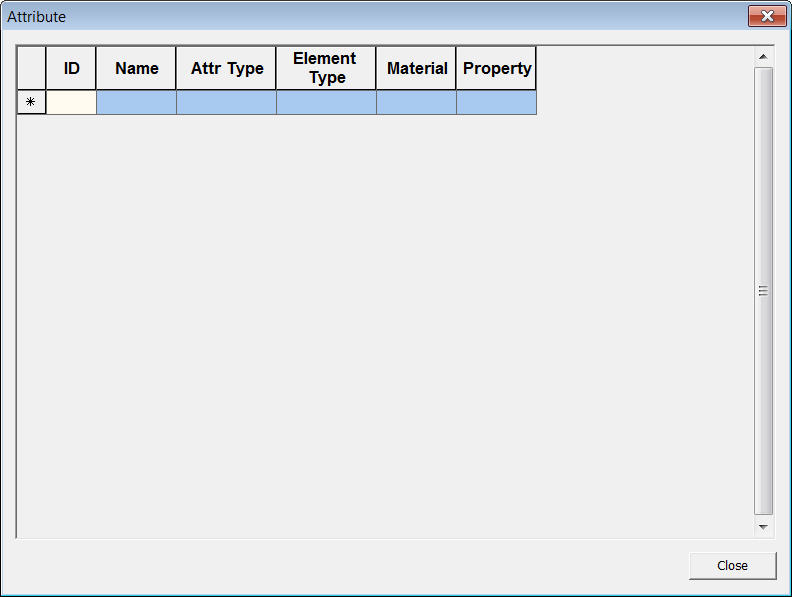
<Table Input Attribute>