Multi Step Iso Surface

Function
Display Iso Surfaces of results obtained from multiple steps.
Call
Result > Multi Step Iso Surface
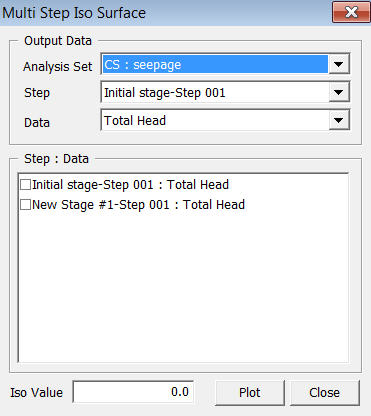
<Multi Step Iso Surface>
Output Data
Analysis Set
Select an Analysis Set for which the results have been generated.
Step
Select
the reference step which includes the desired data.
Data
Select
the data for displaying Iso Surfaces.
Step : Data
Select
steps from where the data will be extracted for displaying the Iso Surface.
Display Type
Iso Line Thick
Specify
the thickness of the Iso Line for the 2D model.
Iso Surface Edge
Determine
whether or not to draw outlines along the Iso Surface. Specify the color
of the outline.
Iso Value
Input the Iso Surface value. If the value exceeds the result value range of the selected step, Iso Surface will not be displayed.