|

The object is best created when the guide curve exists on the center position of the sweep profile.
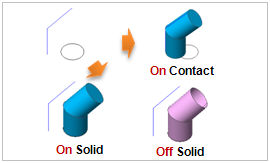
A solid cannot be created, even when the solid option is used and the wires and edges are closed, if the planes cannot be created. In this case, it is recommended to create the planes individually and then perform the fuse process to create a solid.
Use the preview button to check the shape. If the shape is not appropriate, use the sweep mod or bend mod functions to create an appropriate shape.
Sometimes complexities in geometry will prevent the desired result from being generated through the sweep functions. In this case, use the Sweep pattern (Main menu > Geometry > Transform > Sweep-Translate) to copy the object profile using the guide curve and use the Loft extend (Main menu > Geometry > Protrude > Loft) to obtain the same result.
|


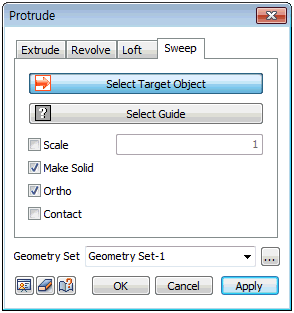
 Create a face, shell or solid by extruding the selected section along a guide curve. Working with a wire as a section profile creates a shell. Working with an edge as a section profile creates a face.