|
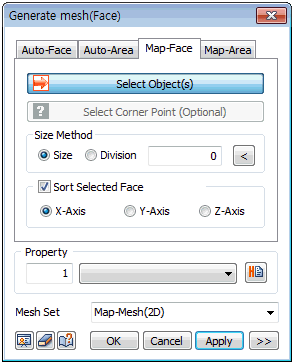
Define the mesh size directly or input the number of divisions on the surface forming edge.
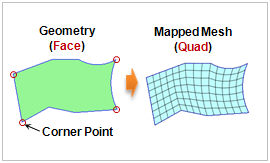
The target shape must have at least 4 outlines for the mesh to be generated and if the shape has too many outlines, the automatic mapping may not work. In this case, select 4 corners to manually map the edges. The 4 selected points become the corners of the square domain and lines between each point are mapped by 1 side of the square domain.
For mapped domains, mesh cannot be created if the opposing outlines (the group of outlines opposite each other after mapping) have different number of generated mesh elements. Hence, it is convenient to work after entering the seed information on the edge beforehand.
|


 Select a surface and auto-generate a quadrilateral mesh. The Mapped mesh maps the selected shape with square domains and generates a mesh on the mapped domains.