|
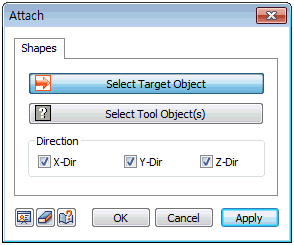
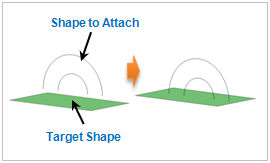
 Attach the target shape and tool shape. Here, the selected shape moves in the direction with shortest distance between it and the shape to which it is being attached. If there are more than two tool shapes, the attaching shape moves to the closest tool shape. Attach the target shape and tool shape. Here, the selected shape moves in the direction with shortest distance between it and the shape to which it is being attached. If there are more than two tool shapes, the attaching shape moves to the closest tool shape.
|