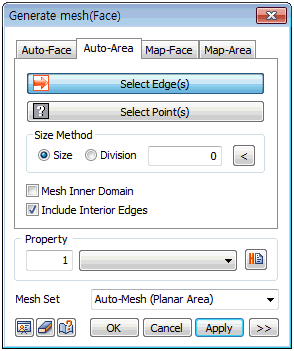
Define
the mesh size directly or input the number of
divisions for the area forming edge to set the
mesh size.
If the closed domain is
within another closed domain, use the [Mesh Inner
Domain] option to divide the domain and auto-generate.
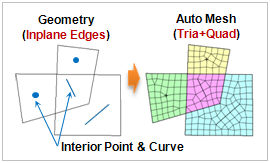
If an interior line (edge) or point is selected,
the option identifies the position of the line
or point and creates a node. In particular, the
[Include Interior Edges] option can extract sub-shapes
from an edge and is a vital option when generating
a structural element.
|
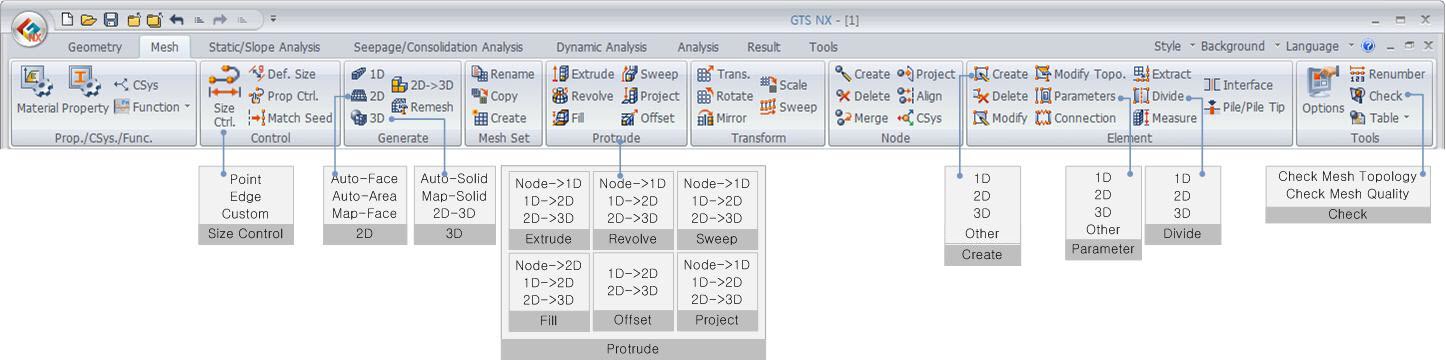

 Select lines
that form a closed area to generate a mesh in that domain.
It does not create a surface for a complex 2D shape and
is used to generate a mesh in all areas.
Select lines
that form a closed area to generate a mesh in that domain.
It does not create a surface for a complex 2D shape and
is used to generate a mesh in all areas.