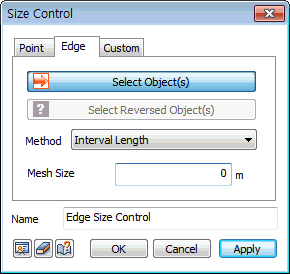
Interval
Length
Input the node spacing
in the current length unit.
Number
of Divisions
Divides the selected line
into multiple divisions, specified by the input
number.
Linear
Grading (Length)
Input the spacing between
the start and end points of a line to automatically
set the node positions through linear interpolation.
Linear
Grading (Ratio)
Input the spacing ratio
(end/start) between the start and end points of
a line.
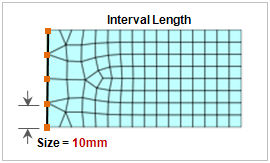 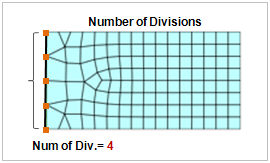
<Interval
Length> <Number
of Divisions>
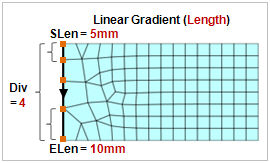 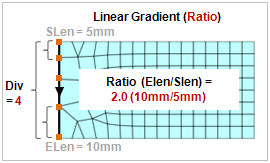
<Linear
Grading (Length)> <Linear
Grading (Ratio)>
Hyperbolic
Tangent
Input the
start length and number of divisions to specify
the nodes positions considering the total length
of the line and number of divisions.
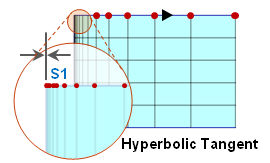
<Hyperbolic
Tangent> |
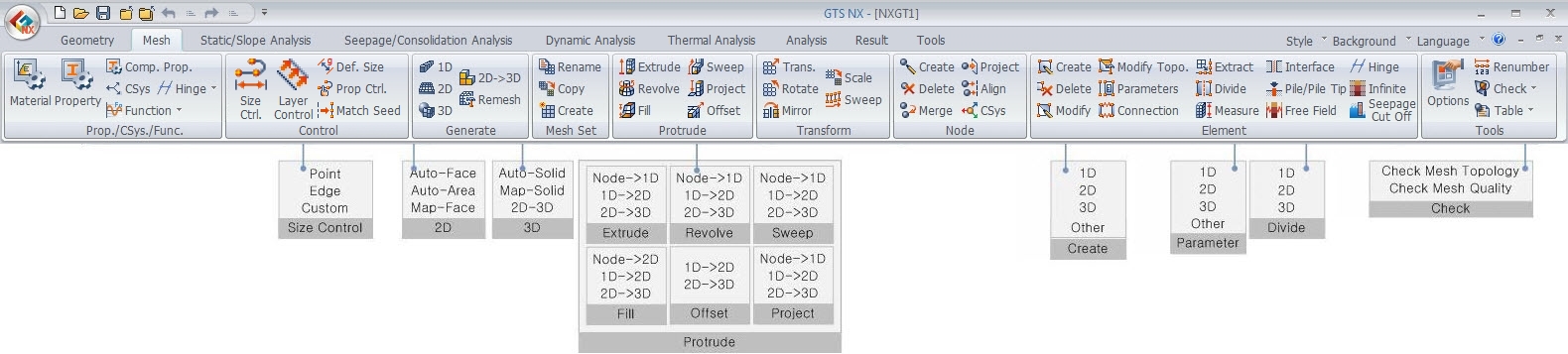

 Select edges
(lines) and use the following 5 methods to preset the
position (mesh size) of the new mesh node. The node spacing
can be directly entered or a selected line can be divided
into constant or linearly changing segments.
Select edges
(lines) and use the following 5 methods to preset the
position (mesh size) of the new mesh node. The node spacing
can be directly entered or a selected line can be divided
into constant or linearly changing segments.