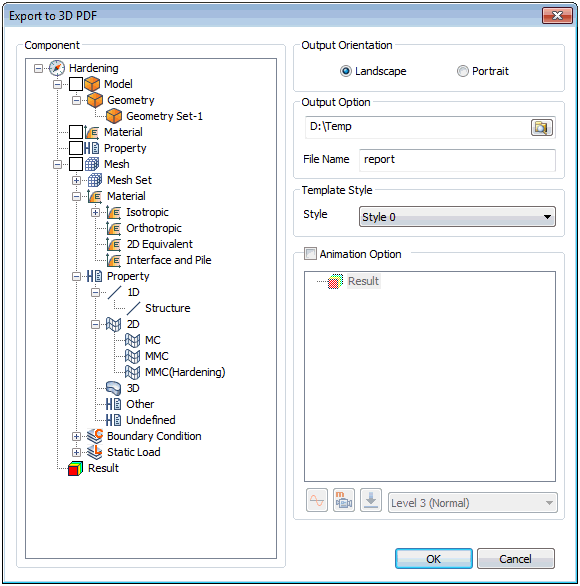 
<Before
analysis (Model information)> <After
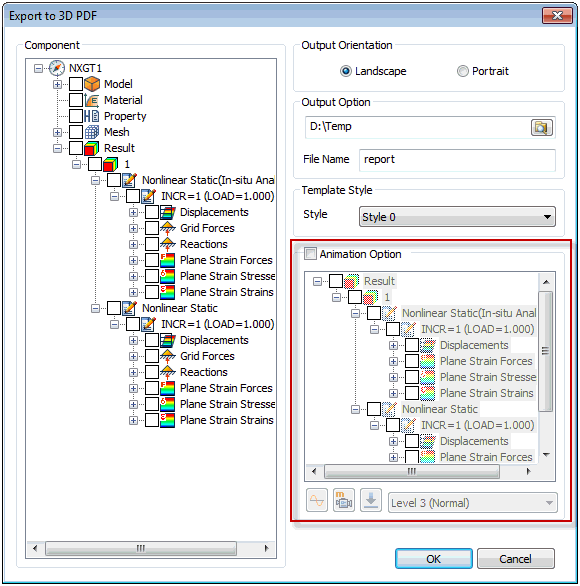
analysis (Result information)>
Export all the information
on a model such as table for input parameters, geometry
and mesh before analysis as a PDF file. Specify the output
direction, path, file name and select the OK button to
create a PDF document as shown above.
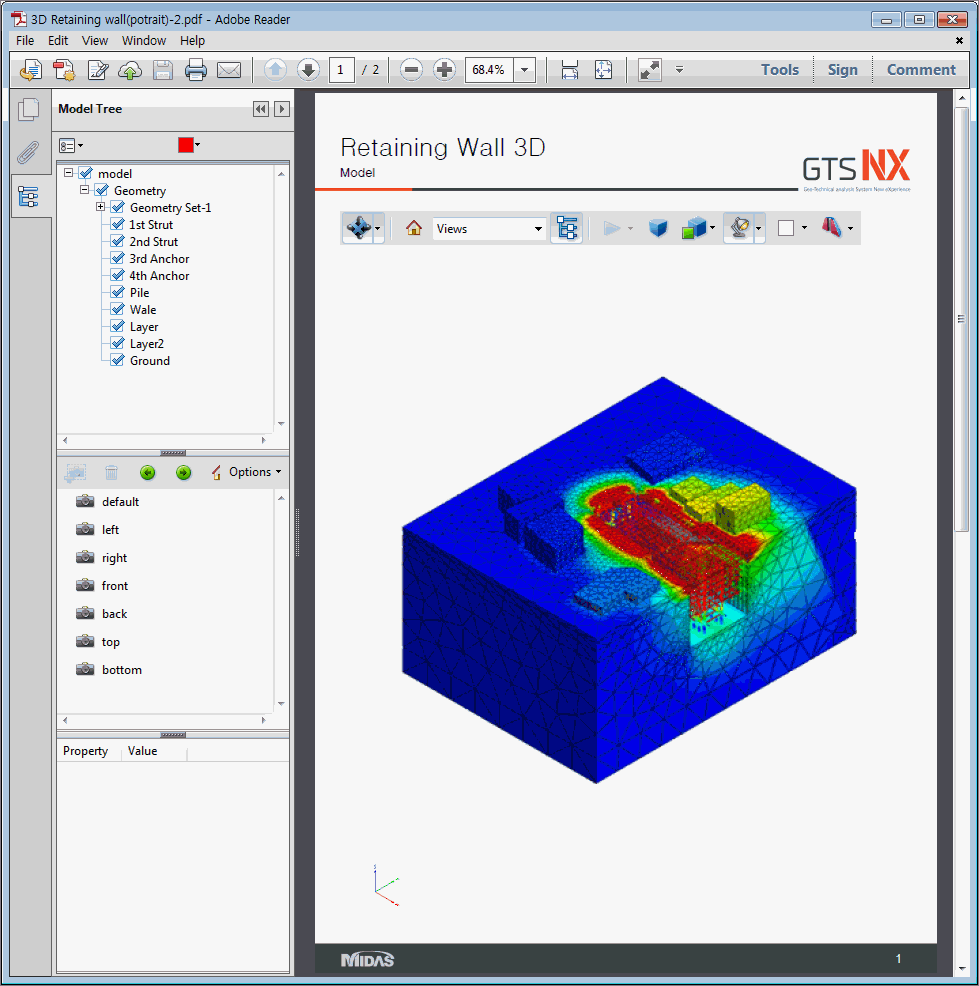
Because this operation has
model tree/view tools etc. similar to the program, basic
show/hide, rotation, move operations are available and
can be used to check the 3D model information.
In particular, the model dimension
lines and comments can be added and for 3D models, the
arbitrary cross-section information can also be checked.
After analysis, the result
images and animation can be saved and the output results
can be selected on the tree structure and composed as
a PDF document.
<3D
PDF>
The user can also export the
phreatic line/surface, cutting planes, and Isoplanes to
the 3D PDF as illustrated below:
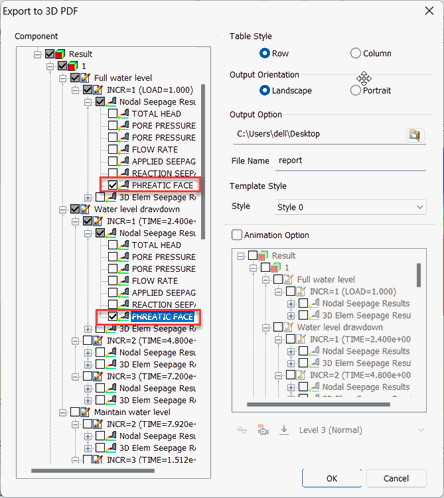
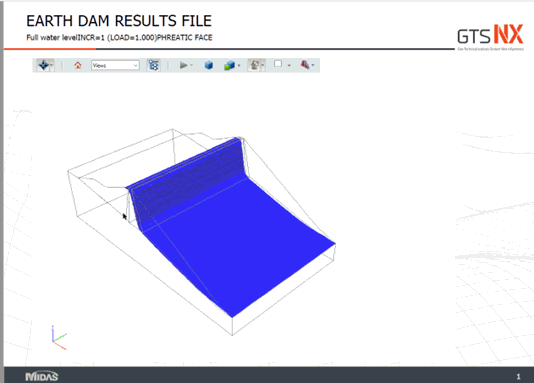
PHREATIC LINE/SURFACE
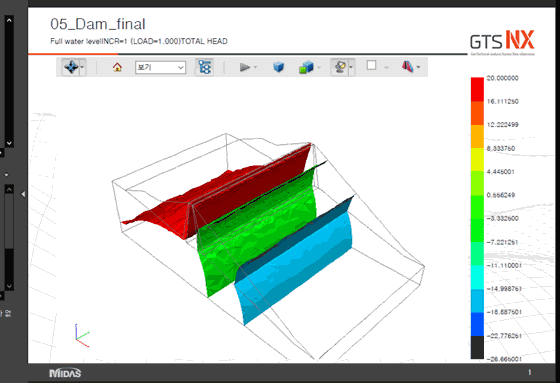
ISOPLANES
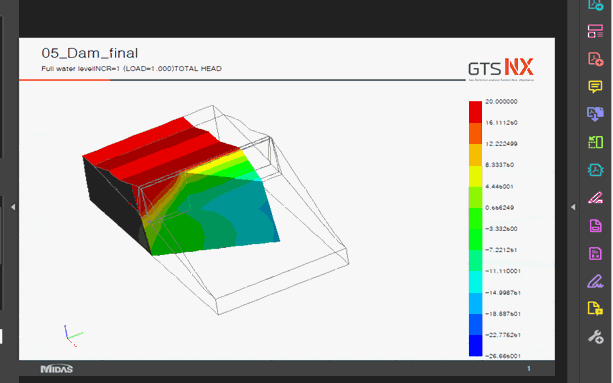
|


 Save the model
information before analysis and the result information
after analysis as a 3-dimensional PDF document. Adjusting
the 3D view on the PDF document and checking the cross-section
information, similar to the operations in the program,
is possible. Hence, the 3D model/analysis result information
can all be checked on one PDF document without the model/result
files.
Save the model
information before analysis and the result information
after analysis as a 3-dimensional PDF document. Adjusting
the 3D view on the PDF document and checking the cross-section
information, similar to the operations in the program,
is possible. Hence, the 3D model/analysis result information
can all be checked on one PDF document without the model/result
files.