|
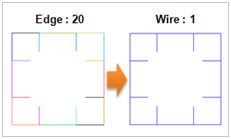
Create a single wire from edges within the Tolerance.
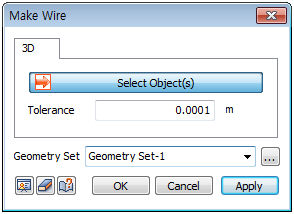
[Tolerance] is the allowed error criterion that determines whether the edges are connected. For example when the distance between the edges is 2.0e-006, although the value is not zero, it can be made into a single wire by setting the error as 0.0001 (distance larger than the value between edges).
After the operation is performed, a single wire remains and the selected edges are deleted.
Geometry set
Register the wire on the Geometry set. The user can specify the name of the Geometry set.
|


 Create a single wire from selected edges on the workplane.