|
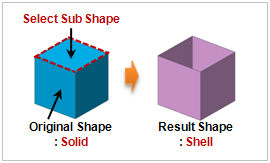
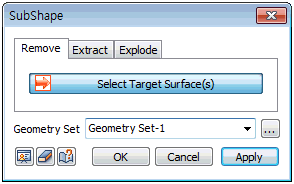
Select the faces to delete and press the [OK] or [Apply] button to delete the selected faces. For solids, deleting a face creates a shell. For faces, deleting a face leaves the outline wires.
Geometry set
Register the created shape on the Geometry set. The user can specify the name of the Geometry set.
|