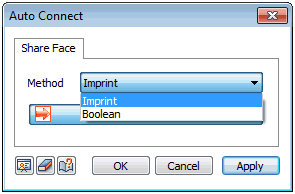
For the set intersection
function, the solid shape changes with the selection
order. However, in the case of automatic connection,
the program determines and creates the shared
face so that the selection order does not change
the shape. Hence, it is useful to use the Geometry
> Boolean > Solid > Cut function if the
user wants to include sections that are not in
contact. |


 Automatically
creates a shared face between objects.
Automatically
creates a shared face between objects.