|
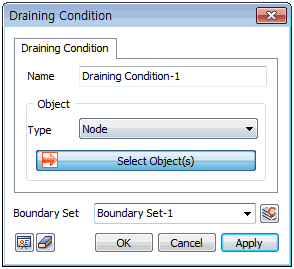
Select the point to assign Drainage conditions.
The target can be selected from [Node], [Edge], [Face], [Free Face Node].
For [Node], the node is directly selected to define the node on which the Drainage conditions will be assigned. Selecting [Edge] or [Face] applies Drainage conditions for all nodes in the geometry shape.
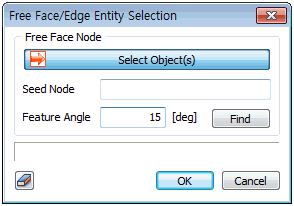
For [Free Face Node], select a free face node and all points that make contact with the node-containing element at an angle smaller than the specified angle are selected. Press the  button to select the reference node, target element and feature angle. button to select the reference node, target element and feature angle.
The excess pore pressure in an area with assigned drainage conditions is maintained as 0 and this implies that water can escape due to loading applied to the ground. The Drainage condition is mainly used when the permeability coefficient is large, or if the loading change is small.
Boundary Set
Register the set constraint conditions on the desired boundary set. The user can specify the name of the boundary set.
|


 Used to simulate the domain where the excess pore pressure is 0 (drain). The Drainage condition is used as a boundary condition for Consolidation analysis.