|

'Seeding' is defined as the 'position where the node will be generated’.
If a seed is assigned to the shape and the shape is then modified, all seeding information is erased. Hence, seeding assignment is best d1 just before the mesh creation, after the geometrical shape has been finished. Seed information is the value that is applied first during mesh creation and the value is continuously applied until it is erased or removed.
The generated seed information can be registered on the Control mesh column of the Model tree by the specified name. The seed information can be erased/modified using the Context Menu.
|


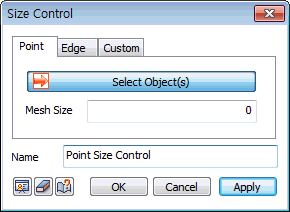
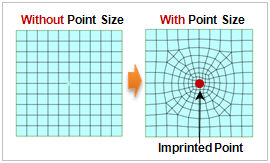
 Specify the size of elements surrounding the selected point. It is only applied to points imprinted on the surface or points that exist as interior objects. Points that exist on sub-shapes, such as the corners of a surface, are automatically ignored during the mesh creation process.