|
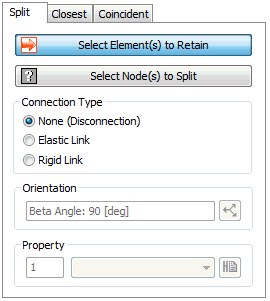
Split
Select the element that contains the node which will be separated. Then, select the nodes to divide or create a link element on. The connection type can be chosen between only node separation, create elastic link after node separation or create rigid link. When creating an elastic link, specify the coordinate system of the link element.
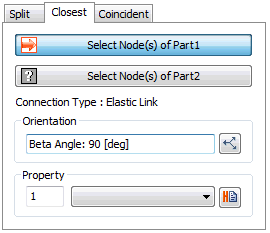
Closest
Select 2 groups of nodes and create an elastic link between the 2 closest nodes between the groups.
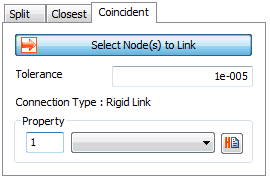
Coincident
Create a rigid link between selected nodes that are within the tolerance range. The tolerance is the allowable limit of the node connection, and the operation is only applied when the distance between the nodes is smaller than the tolerance. It is used to automatically connect 2 barely separated nodes
|


 Cut the connection between shared nodes or create a spring or rigid link element between nodes. The free edge/faces created by the node separation can be used to create an interface element.