|
|
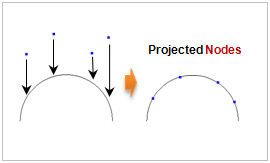
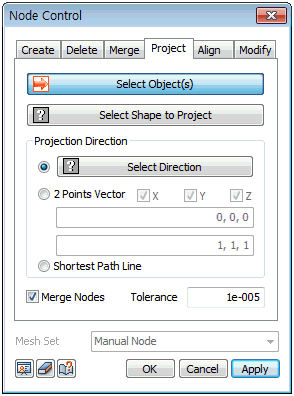
Select the nodes to project; the target shape can be selected between a surface and edge. The projection direction can be selected using the axis direction on the GCS or the direction of an arbitrary vector that connects the start and end points. Use the [Shortest Path Line] to automatically set the shortest distance direction between the node and projection target (target surface) in the normal direction. Selecting all nodes of the element moves the whole mesh. Selecting only some nodes, the unselected nodes remain in their position and the element shape and size automatically changes with the projection distance.
|


 Project the node onto the target surface or edge.