|
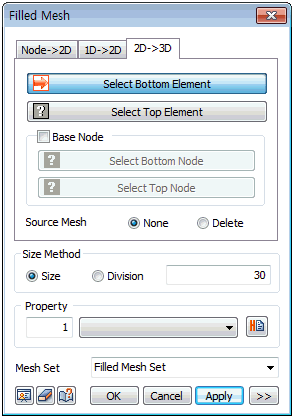
Select the top and bottom 2D elements and define the 3D element size by entering the mesh size directly or the number of divisions between the selected 2D elements. The number of top and bottom elements of each selected 2D element need to the same and the element position or shape needs to be similar to allow 3D element fill. If the corresponding pairs cannot be found automatically, the corresponding reference nodes need to be specified manually. Each reference node needs to exist on the outline of the element.
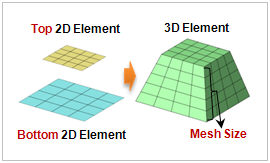
The shape of the 2D element can be selected from a triangle or a quadrilateral in advanced options (  ). ).
|


 Generate a 3D element that connects 2D elements. It is useful when adding elements to a certain area to edit the model.