|
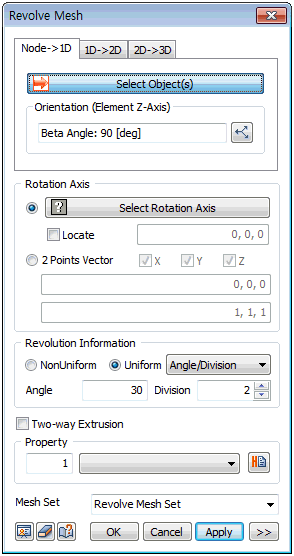
Generate a 1D element by rotating a node about the specified rotation axis by the input angle. It can be used to create various arch or circle shaped, 1D elements without using geometry shape.
Rotation Axis
Select the rotation axis with reference to the GCS or input the start and end points of the direction vector using the 2 points vector function. It is useful when setting the reference axis in an arbitrary direction. When using the GCS, use the [Locate] option to set the revolution axis position using its coordinates. The revolution axis is moved to the coordinate position and the node is rotated about the moved axis.
Revolution Information
Set the rotation angle and division of 1D element will be created. The division spacing can be set as either uniform or non-uniform. Entering a positive angle rotate extrudes in the counterclockwise direction and entering a negative angle rotate extrudes in the clockwise direction.
[Non-uniform]
Specify the rotation angle. The angle can be listed using a comma (,) or as number@angle for continuously repeating angles.
For example, entering 10@20 continuously creates 10 elements that are rotated 20 degrees from the previous element and entering 10,20,30 creates 3 elements, each rotated by 10 degrees, 20 degrees and 30 degrees.
[Uniform]
Set the rotation angle and number, or input the total rotation angle and division spacing.
|


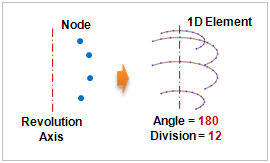
 Generate a 1D element by rotating a node about the specified revolution axis by the input angle. It can be used to create various arch or circle shaped 1D elements without using geometry shape.