|
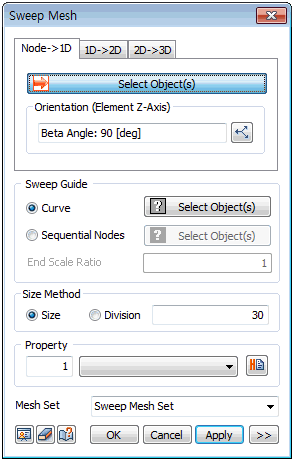
Select the element node to extrude and select the sweep guide curve or node positions that can substitute the guide curve. Define the mesh size directly or input the number of divisions for the selected curve.
Sweep Guide
[Curve]
Only 1 guide curve can be selected. Hence, the curves for a complex shape need to be created into a single wire in advance.
[Sequential Nodes]
When selecting multiple nodes, be aware that the extrude direction is specified by the selection order. When selecting the nodes directly, the spacing between the nodes becomes the element size so the size does not need to be set.
|


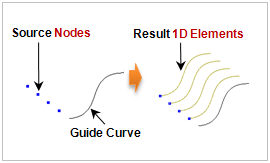
 Generate a 1D element by sweeping a node about a selected guide curve. It is useful to create complex elements continuously.