Fill
▒ Overview
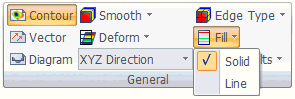
Determine the contour fill method. The available settings are Draw solid and Draw line.
▒ Methodology
<Draw solid> <Draw line>
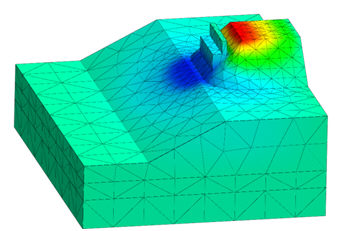
Draw solid
Display the analysis result contour continuously on a solid.
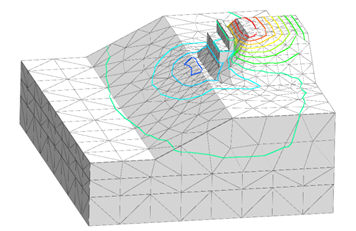
Draw line
Display the analysis result contour using isogram lines.
Adjust draw line width
When selecting the Draw line fill, the thickness of the isograms lines can be changed on the contour settings of the Properties window.
Adjust the line thickness using Properties > Contour > Line Width.
 Adjust draw line width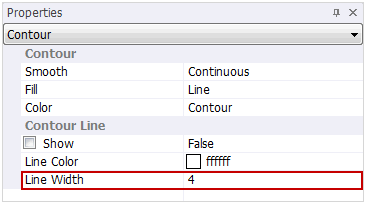


 Determine the contour fill method. The available settings are Draw solid and Draw line.