|
Construction Stage
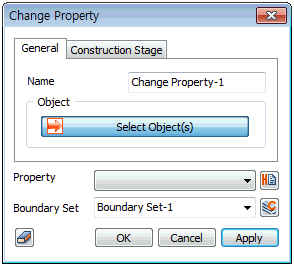
If the construction stage is specified, change the element property collectively.
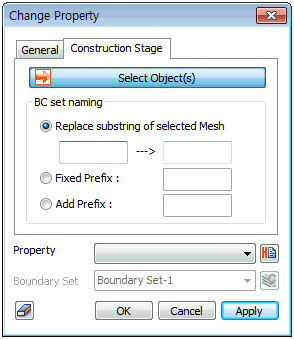
For example, apply a stage by stage change in the material property of shotcrete, from ductile to hardening, of a 3D model. If the mesh set is already specified by shotcrete 001 ~ shotcrete 010, the boundary conditions for element property change need to be specified separately for each element when using Change property > General. However, for Change property > Construction stage, selecting shotcrete 001 ~ shotcrete 010 can create 10 boundary condition sets with just one click.
The name of the boundary condition set can be specified by [Replace substring of selected Mesh], [Fixed Prefix] and [Add Prefix] to collectively change the name of the created mesh sets. If nothing is input, the boundary condition set is created with the same name as the mesh set.
[Replace substring of selected Mesh] : Create a boundary condition set by using a different postfix on the selected mesh set name.
[Fixed Prefix] : Create a boundary condition set by adding a different prefix, instead of using the selected mesh set name.
[Add Prefix] : Create a boundary condition set by adding a prefix to the selected mesh set name.
|


 Apply a new attribute data or substitute an existing attribute data for an element that changes with the construction stage. It can be used in construction stage-using analysis (Static/Slope analysis, Seepage/Consolidation analysis).