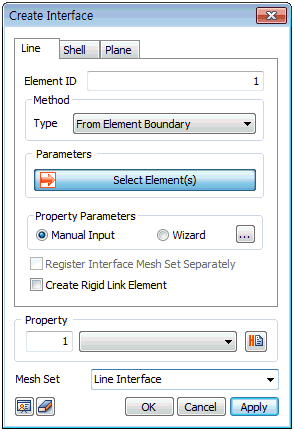
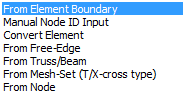
The interface can
be created using the following methods, depending
on the work environment and comp1nts or shape.
 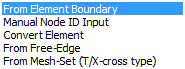 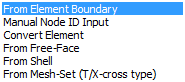
<Line
Interface> <Shell
Interface> <Plane
Interface>
Create an interface
element at the boundary position between the selected
element and adjacent element, as shown in the
figure below. Selecting all elements cannot create
an interface element because there are not adjacent
elements. If the created interface element is
within a mesh, the interface element has a wedge
shape, as shown.
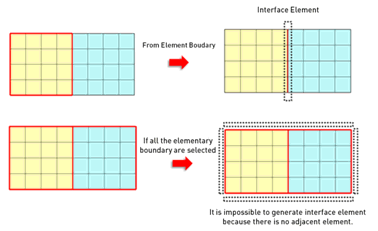
<From
element boundary>
Directly input the
node ID to create an interface element. The nodes
are divided into 2 groups: Side 1 and Side 2 that
determine the shape of the interface element.
The number of input nodes on Side1 and Side2 must
be the same and the shape for each size is as
follows.
Convert a general
1D, 2D, 3D element into an interface element.
Because general elements do not have a consistent
node order, the base reference node needs to be
selected additionally.
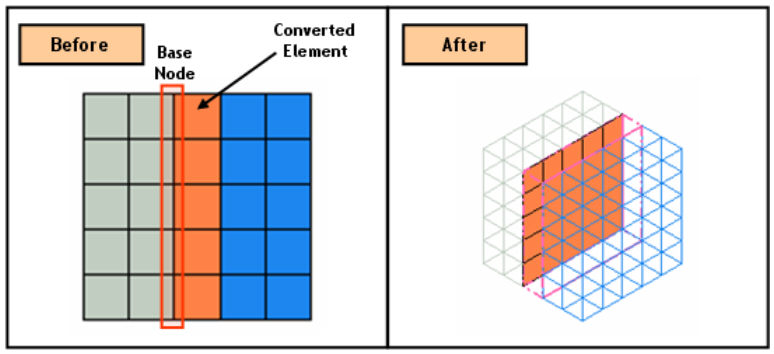
<Convert
element>
Create an interface
element from opposing free surface/edge. The free
edges (free surface for 3D) with no node connections
need to be selected on each side and if the free
edge (free surface) does not exist, use the Connection
> Divide function to divide beforehand.
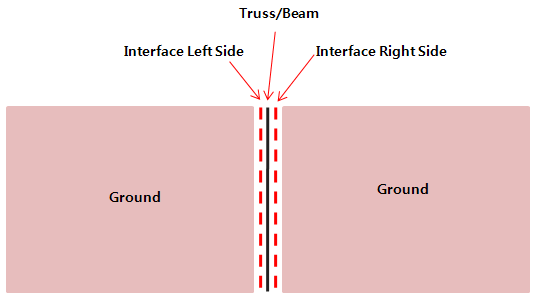
Create an interface
element using the truss/beam element. For 3D,
use a plate element. Creating an interface element
for structural elements such as truss/beam/plate
generates an interface element on both sides of
the element. Hence if the interface creation method
is truss/beam, set the “add mesh set separately”
option for the interface element to separately
create the interface element in each direction.

<Use
structural element>
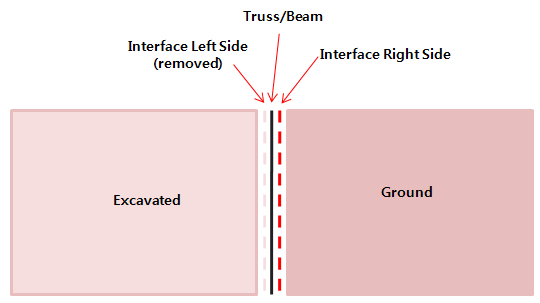
Also, if the ground
element connected to the interface element is
removed during construction, the interface element
is also removed to prevent analysis errors.
Create an interface
element between adjacent elements, using the relationship
between the selected nodes. For 3D, select a segment
point if the interface element is not created
properly.
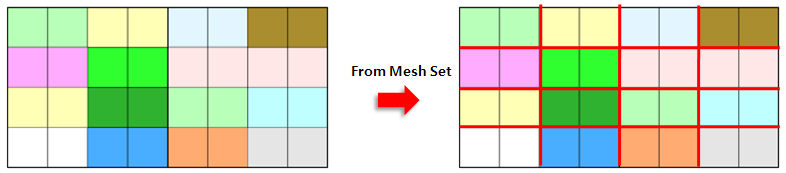
Create an interface
element at the T- or X-cross of the selected mesh
set. This method can be used when the interface
elements intersect, such as in masonry structures.
<T/X
cross type> |

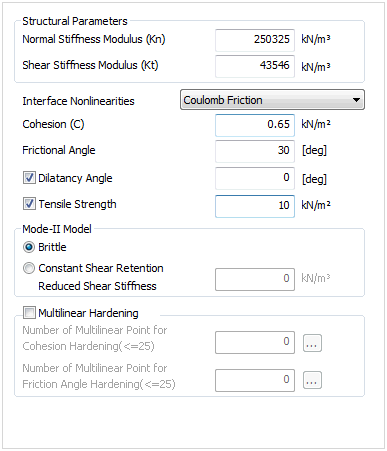
 Create a homogeneous
or heterogeneous material interface where slip or isolation
can happen. It is used to simulate the interface behavior
between ground and structural members with a large relative
stiffness difference. The interface generation method
is classified by the work environment (2D/3D) and the
target. The properties must be defined in order to create
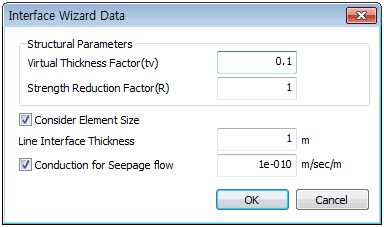
an interface element. The properties can be directly entered,
or can be automatically calculated from the properties
of adjacent elements using Wizard.
Create a homogeneous
or heterogeneous material interface where slip or isolation
can happen. It is used to simulate the interface behavior
between ground and structural members with a large relative
stiffness difference. The interface generation method
is classified by the work environment (2D/3D) and the
target. The properties must be defined in order to create
an interface element. The properties can be directly entered,
or can be automatically calculated from the properties
of adjacent elements using Wizard.