|
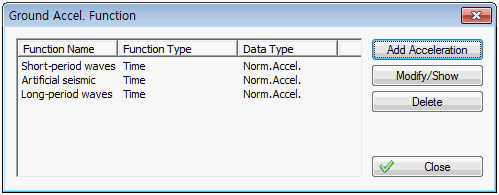
Add/Modify/Delete Acceleration
Input a new acceleration data, or check, modify or delete the existing input data.
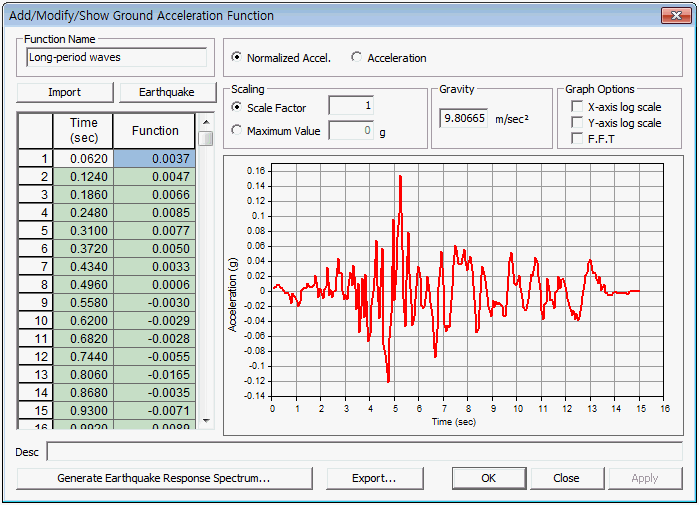
Function Name
Selected the input time history analysis condition. If the condition is not input beforehand, press the button to call up this function.
Time function data type
[Normalized acceleration]: This spectrum is found by dividing the acceleration spectrum with the gravitational acceleration, and it cannot be set as another type.
[Acceleration]:The acceleration spectrum with time.
Scaling
Input the gradient modulus of the ground acceleration function.
[Scale factor] : Input the gradient modulus.
[Maximum value] : Modify the spectrum data such that the maximum acceleration becomes the specified desired value.
Gravity
Input the gravitational acceleration.
Graph Options
Specify whether to express the direction of each axis of a graph in log scale.
[x-axis log scale]
Specify whether to express the x-axis direction of a graph in log scale.
[y-axis log scale]
Specify whether to express the y-axis direction of a graph in log scale.
[F.F.T]
Specify whether to convert the graph based on Fourier Transformation.
Description
Display a simple description that explains the ground acceleration function. If an [Earthquake] is created, the maximum acceleration, time etc. used to create the wave is displayed.
Export
Export the ground acceleration function as a text(*.txt) file.
|


 Input the time varying load for earthquake analysis on the input ground.